

Creating Photorealistic Fashion Photography with AI
The complete guide to generating studio-quality, photorealistic fashion images with Fittins AI. Master photography-specific prompting, studio lighting terminology, camera and lens language, fabric description techniques, and professional workflows for e-commerce, editorial, beauty, lifestyle, and haute couture photography.

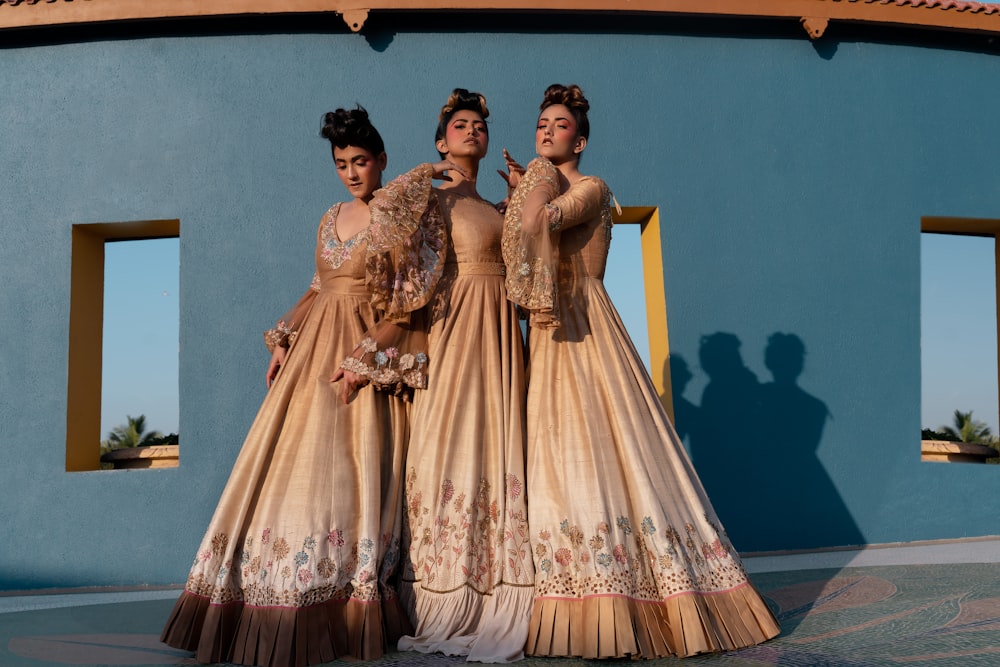
Made with Fittins AI · View this image
Professional fashion photography has traditionally required expensive studio rentals, complex lighting rigs, experienced photographers, makeup artists, stylists, and hours of post-production editing. With Fittins AI, you can generate photorealistic fashion images that rival professional studio output using your product photos, an AI model, a well-crafted text prompt, and the right model tier. This comprehensive guide teaches you how to translate real-world photography knowledge into AI prompts that produce stunning, publication-ready fashion imagery.
Whether you need crisp e-commerce product shots on white backgrounds, dramatic editorial spreads with complex lighting, intimate beauty portraits, or lifestyle imagery that tells a story, the Fittins AI model tiers (Turbo, Default, Premium, and Ultra) give you the tools to create all of it. The key is knowing which model to choose, how to structure your prompt using real photography language, and which details unlock photorealistic quality.
Why Photography Language Unlocks Photorealism
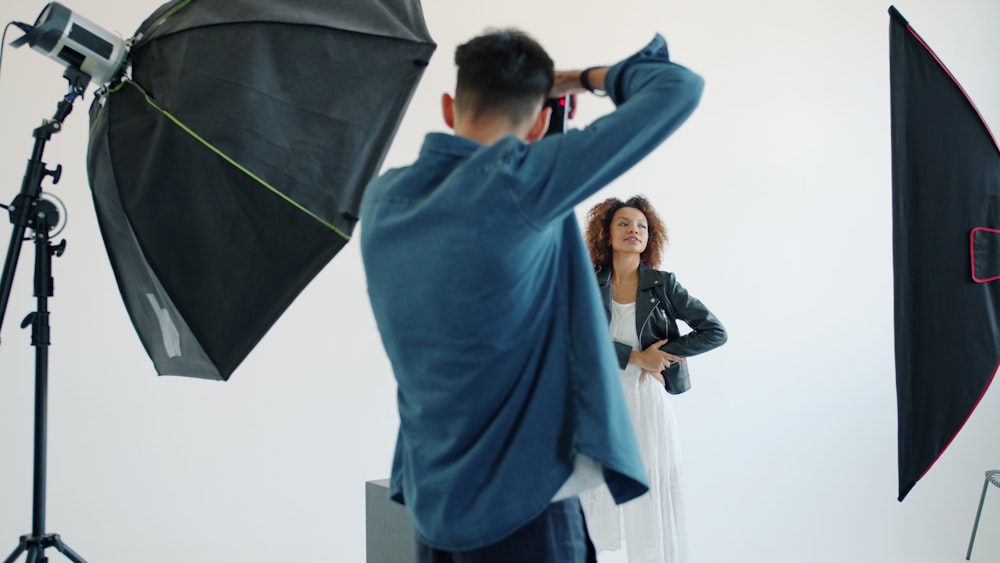
When you describe your desired image using the same language photographers use on set, you give the AI precise direction, which tends to produce more convincing, physically accurate results. A prompt that says "nice lighting" will give you generically pleasant illumination. A prompt that says "three-point studio lighting with a large octabox key at 45 degrees camera-right, a silver reflector fill at half-power camera-left, and a narrow-beam hair light from above-behind at 5600K" will produce an image that looks like it was actually shot in a professional studio.
This is the fundamental principle of photorealistic AI fashion photography: the more your prompt reads like a photographer's shot notes, the more photographic your output will look. Throughout this guide, we will teach you exactly which technical terms produce the best results and how to combine them for different photography genres.
Choosing the Right Model Tier for Photography
Not every fashion photograph needs the same level of fidelity. A quick mood-board concept needs speed, not perfection. A hero campaign image needs absolute perfection, not speed. The Fittins AI model tiers are designed for this exact spectrum. Turbo and Default are available on every plan, Premium (for images) from Creator Starter, and Ultra from Creator Business. Here is how each tier performs for photorealistic fashion photography specifically.
Model Tier Photography Performance:
- Turbo -- Fast concept visualization. Captures general composition, pose, and color palette accurately. Skin and fabric textures are simplified. Best for mood boards, quick direction checks, and testing prompt structure before investing credits in higher tiers.
- Default -- Professional-grade photorealism for everyday content. Accurate fabric rendering, natural-looking skin, and convincing lighting. Handles single-light and two-light setups well. The minimum tier for any content that will be viewed at full resolution.
- Premium -- Editorial-grade photorealism. Visible thread patterns in woven fabrics, individual pore detail on skin, physically accurate light falloff and shadow softness. Responds well to complex three-point lighting descriptions and camera-specific lens characteristics.
- Ultra -- Studio master photography grade. Thread-level fabric accuracy, subsurface light scattering in skin, physically correct reflections on satin and silk, volumetric light effects, and medium-format depth of field rendering. The gold standard for print, campaign heroes, and portfolio-grade work.
The Photographer's Rule of Thumb
Match your model tier to where the image will be seen. Phone screen at 1080px? Default is perfect. Desktop web at full resolution? Premium. Magazine print at 300dpi? Ultra. This simple rule prevents overspending on content that will be viewed at reduced fidelity, and underspending on content that will be scrutinized up close.
Camera and Lens Language for AI Prompts
Referencing real camera bodies and lenses in your prompts gives the AI a powerful shorthand for the overall "look" of the image. Different camera systems produce different aesthetic signatures: medium-format cameras have a distinctive depth of field and color rendition; a Canon 85mm f/1.2 produces a different bokeh character than a Nikon 105mm f/1.4. When Premium and Ultra models encounter these references, they apply these photographic characteristics to the generated image.
Camera References That Work Best:
- Canon EOS R5 / R3 -- Modern mirrorless. Clean, vibrant color science. Great for beauty and editorial.
- Sony A7R V -- High-resolution. Neutral color. Excellent for product and e-commerce shots.
- Hasselblad X2D / H6D -- Medium format. Distinctive shallow depth of field, creamy bokeh, rich color depth. The go-to for luxury and haute couture.
- Phase One IQ4 150MP -- Ultimate resolution. The reference for large-format print campaigns.
- Fujifilm GFX 100S -- Medium format. Beautiful film-like color rendition. Great for lifestyle and portrait fashion.
Lens References for Fashion Photography:
- 85mm f/1.2 or f/1.4 -- The classic portrait lens. Flattering compression, creamy bokeh. Perfect for half-body and close-up fashion portraits.
- 50mm f/1.4 -- Natural perspective. Versatile for full-body and environmental fashion shots.
- 70-200mm f/2.8 -- Runway and editorial workhorse. Creates beautiful background compression.
- 35mm f/1.4 -- Wider perspective for environmental and street fashion. Adds spatial context.
- 110mm f/2.5 (medium format) -- Equivalent to ~87mm on full frame. The signature medium-format portrait lens with unmistakable depth rendering.
- 120mm Macro -- For extreme fabric detail shots and beauty close-ups.
Aperture Matters
Always specify an aperture value. f/1.4 to f/2.0 gives you dreamy shallow depth of field with intense background blur, perfect for isolating a model. f/4 to f/5.6 keeps the entire outfit sharp while still softening the background. f/8 to f/11 gives edge-to-edge sharpness for full-outfit product shots. The AI uses this to calibrate the entire depth rendering of the image.
Mastering Lighting Language for Maximum Realism
Lighting is the single most important factor in photorealistic fashion photography, and this is equally true for AI-generated images. A detailed lighting description in your prompt will have a more dramatic impact on realism than any other element. The Premium and Ultra model tiers respond with remarkable accuracy to professional lighting terminology.
Studio Lighting Setups
Classic Setups for Fashion:
- Three-Point Lighting -- Key light + fill light + hair/back light. The foundational setup for most studio fashion photography. Describe the key at 45 degrees, fill at lower power on the opposite side, and a hair light from above-behind.
- Butterfly (Paramount) Lighting -- Key light positioned directly above and slightly in front of the subject. Creates a small butterfly-shaped shadow under the nose. The classic beauty and cosmetics lighting setup. Extremely flattering for facial features.
- Rembrandt Lighting -- Key light at 45 degrees creating a triangle of light on the far cheek. Named after the painter. Creates dramatic, moody portraits with strong shadows. Excellent for editorial and artistic fashion.
- Clamshell Lighting -- Two lights: one above the face, one below (often reflected off a white surface). Minimizes all shadows for flawless, even illumination. The standard for beauty and skincare campaigns.
- Split Lighting -- Key light from the side, illuminating exactly half the face. Bold, dramatic, and editorial. Creates strong visual impact for avant-garde fashion.
- Loop Lighting -- Key light slightly to one side and above, creating a small shadow loop beside the nose. Natural-looking and versatile. Works for nearly all fashion styles.
- Broad Lighting -- The side of the face facing the camera is illuminated. Widens the appearance of the face. Useful for specific creative intentions.
Light Modifiers to Reference
Light modifiers control the quality (hardness or softness) of the light source. Including modifier names in your prompt significantly improves lighting realism in Premium and Ultra outputs.
- Large octabox / softbox -- Produces soft, wrapping light with gentle shadow transitions. The most common studio modifier.
- Beauty dish -- Slightly harder light than a softbox with a defined center hotspot. Adds contrast and dimension to beauty shots.
- Strip softbox -- Narrow, directional light. Creates elegant rim highlights on the body and garment edges.
- Parabolic reflector (para) -- Produces light with a unique combination of softness and directionality. Creates distinctive catchlights.
- Silver reflector -- Bounced fill light with a crisp, contrasty quality. Brighter fill than a white reflector.
- Scrim / diffusion panel -- Large diffusion surface placed between light and subject. Creates ultra-soft, window-like light quality.
Color Temperature
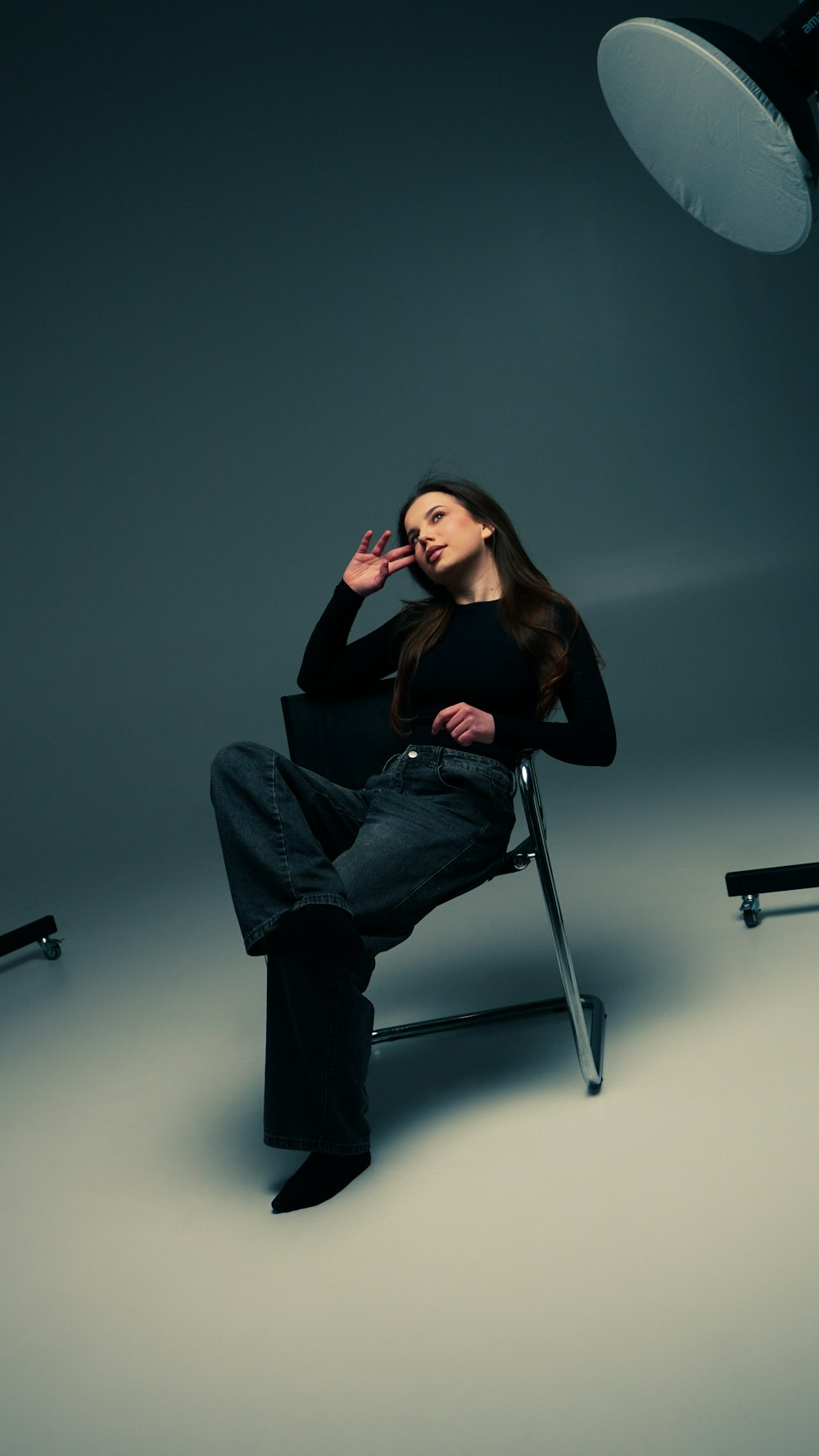
Color temperature is measured in Kelvin and defines the warmth or coolness of your lighting. Including a specific Kelvin value in your prompt anchors the entire color mood of the image with precision.
- 3200K -- Warm tungsten. Golden, intimate, cozy. Evokes evening atmosphere.
- 4000K -- Warm white. Neutral-warm. Flattering for skin tones.
- 5200-5600K -- Daylight. Balanced white. The standard for product and e-commerce photography.
- 6500K -- Overcast daylight. Slightly cool. Creates a contemporary, fashion-forward feel.
- 7500K+ -- Open shade. Cool and blue-toned. Dramatic and editorial.
Genre: E-Commerce Product Photography
E-commerce fashion photography demands clean, accurate, well-lit images that build buyer confidence. The garment must be the star: colors need to be true-to-life, fabric textures visible, and the background non-distracting. This is where Default and Premium tiers shine for most brands, with Ultra reserved for hero product shots and homepage banners.
E-Commerce Prompt Template (Default or Premium):

"A female model wearing a [GARMENT DESCRIPTION with fabric and color],
standing in a relaxed pose against a clean white cyclorama
background, shot with a Sony A7R V with a 50mm f/4 lens for
edge-to-edge sharpness, even soft studio lighting from a large
overhead softbox with subtle fill from both sides, color
temperature 5500K for accurate color reproduction, garment fills
70% of the frame, clean product photography for e-commerce,
sharp focus on fabric texture and construction details"

--- Key principles ---
- White or neutral background (cyclorama, seamless paper)
- Even, shadow-free lighting (overhead softbox + side fill)
- Color-accurate temperature (5500K daylight)
- Full garment visibility at 70-80% frame fill
- Sharp focus across the entire garment (f/4 to f/5.6)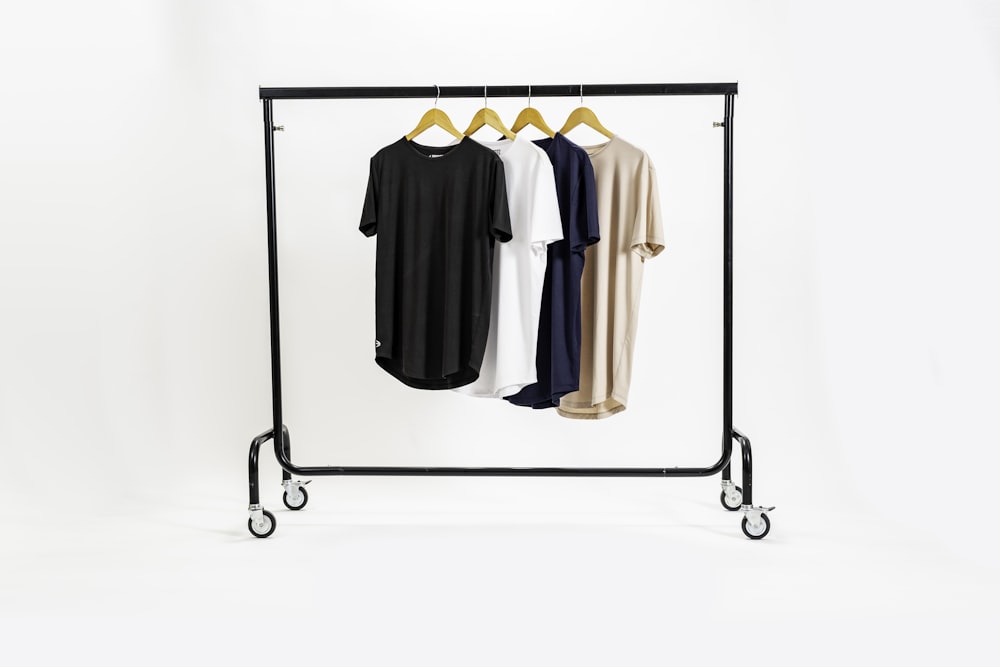
E-Commerce Batch Strategy
For catalog-scale e-commerce photography (50+ products), generate all images at Default tier first. Review and identify the 5-10 hero products that appear on your homepage and category pages. Re-generate only those at Premium or Ultra. This approach keeps your total credit spend down while ensuring your highest-visibility products look exceptional.
Genre: Editorial Fashion Photography
Editorial fashion photography is about storytelling, mood, and artistic vision. Unlike e-commerce, editorial images are not constrained by commercial requirements for accuracy. They are free to be dramatic, atmospheric, and emotionally evocative. This is where the Premium and Ultra tiers truly separate themselves, because the subtle details that make an editorial image compelling, the interplay of light and shadow, the emotional quality of the color grading, the physical weight and movement of the fabric, all require the higher model tiers to render convincingly.
Editorial Prompt Template (Premium or Ultra):

"A model in a [DRAMATIC GARMENT DESCRIPTION with fabric behavior],
standing in [EVOCATIVE LOCATION with atmospheric details], shot
with a Hasselblad X2D with a 110mm f/2.5 lens at f/2.5 for
medium-format depth of field with signature bokeh, Rembrandt
lighting: key light from a silk parabolic reflector at 45 degrees
camera-right creating a triangle of light on the shadowed cheek,
no fill light for maximum drama, warm color temperature around
4500K with cool shadow tones, natural skin texture with pore-level
detail and subsurface scattering, volumetric haze visible in the
background, editorial haute couture photography, muted color
palette with one accent color, fine art grain texture"

--- Key principles ---
- Dramatic lighting (one strong key, minimal fill)
- Emotional color temperature and grading
- Medium-format camera for distinctive depth
- Atmospheric environmental details (haze, dust, weather)
- Fabric described with movement and light interaction
- Skin detail request for realism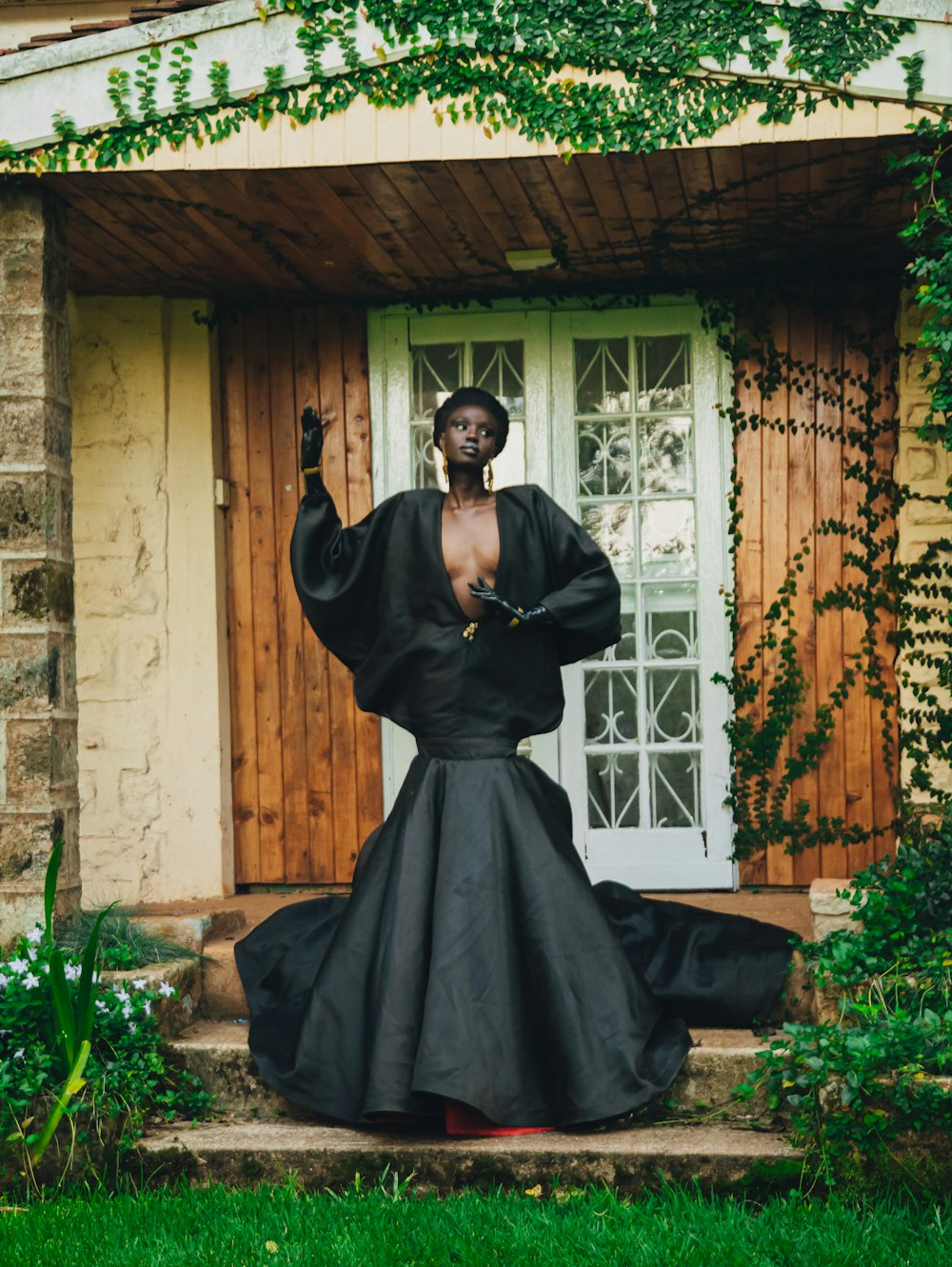
Genre: Beauty and Close-Up Photography
Beauty photography zooms in to the face, skin, and accessories. It demands the highest level of skin realism, including natural pore texture, fine hairs, subtle color variations, and convincing makeup application. This genre pushes AI generation to its limits, and it is where the difference between Premium and Ultra becomes most dramatic. For professional beauty content, Ultra is the strongly recommended minimum.
Beauty Close-Up Prompt Template (Ultra):

"Extreme close-up beauty portrait of a model with dewy, luminous
skin showing natural pore texture and fine vellus hairs, wearing
a bold crimson matte lipstick with clean sharp lip edges, subtle
warm-toned blush on the cheekbones, soft smokey eye with dark
brown and gold shimmer, thick natural eyebrows groomed with a
fluffy texture, shot with a Canon EOS R5 with a 100mm f/2.8L
Macro lens at f/4, clamshell lighting: large beauty dish directly
above at 45 degrees angled down with a white reflector below
chin-level for shadow fill, color temperature 5000K, catchlights
visible in both eyes as rectangular reflections, high-end beauty
photography for skincare campaign, focus plane on the eyes with
gentle falloff toward ears, 16-bit color depth aesthetic"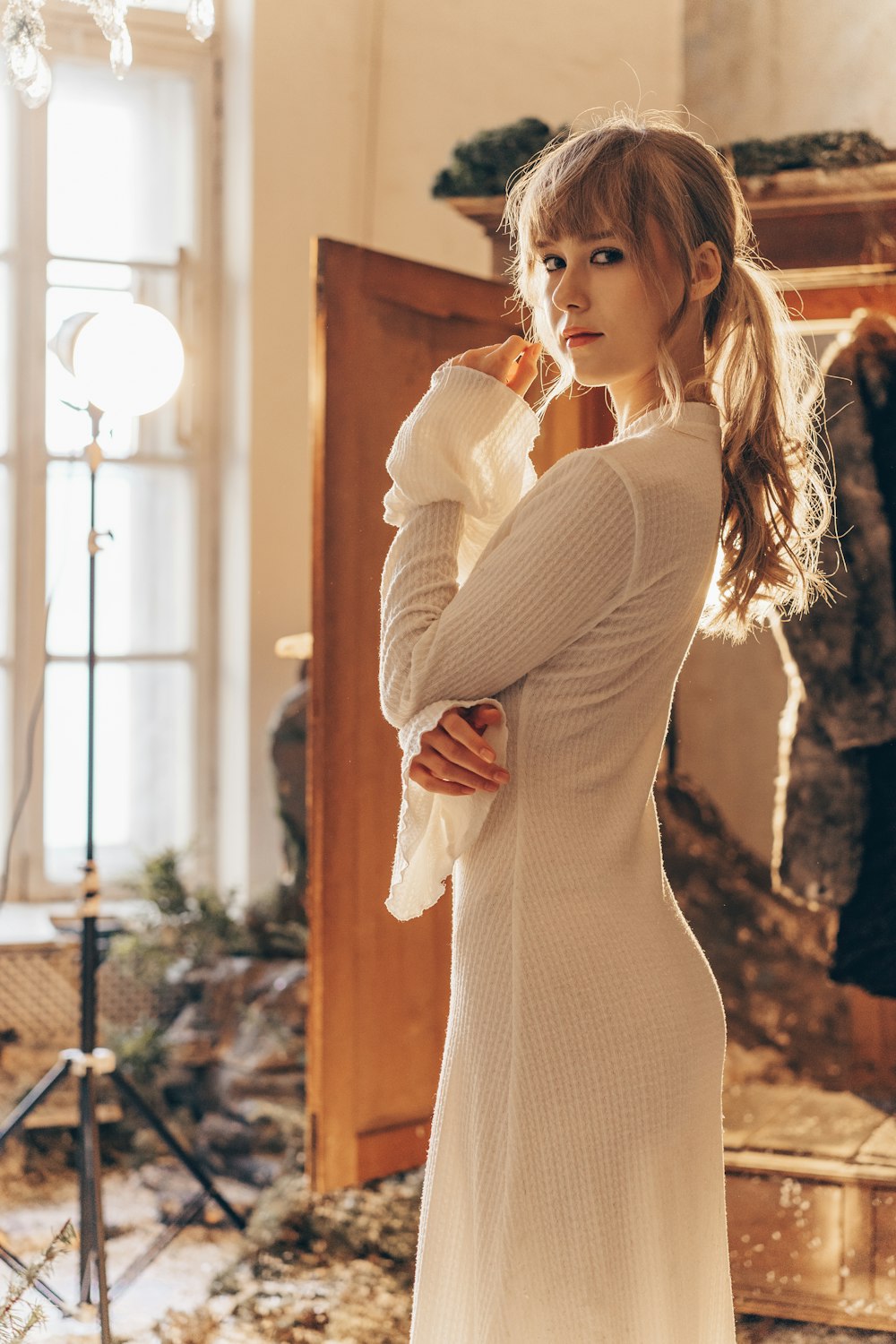
Catchlights Are the Secret
In real photography, catchlights (reflections of the light source visible in the subject's eyes) are a powerful indicator of authenticity. Including "catchlights visible in both eyes" in your prompt significantly increases the perceived realism of portrait and beauty shots, especially at Premium and Ultra tiers.
Genre: Lifestyle Fashion Photography
Lifestyle fashion photography places the model in a real-world context, a cafe, a city street, a sun-drenched terrace, a rainy evening. It tells a story about how the clothing fits into an aspirational lifestyle. The challenge for AI is rendering both the model and the environment with equal conviction. Default handles simple environments well, Premium adds environmental depth and atmosphere, and Ultra makes the entire scene feel like a real moment captured on camera.
Lifestyle Prompt Template (Default or Premium):

"A model in [OUTFIT DESCRIPTION] walking through a narrow cobblestone
street in an Italian coastal village, late afternoon golden-hour
sunlight filtering between terracotta buildings, long shadows
stretching across the warm stone, a gentle breeze catching the hem
of the [GARMENT], natural and candid pose as if caught mid-stride,
shot with a Fujifilm GFX 100S with a 63mm f/2.8 lens at f/2.8,
natural available light with warm backlight creating a rim effect
on the hair and shoulders, color temperature 4800K for warm
golden-hour feeling, lifestyle fashion editorial for a travel
magazine, relaxed and authentic atmosphere"

--- Key principles ---
- Natural (available) light, not studio light
- Environmental storytelling (location, time of day, weather)
- Candid or semi-candid posing
- Fabric interaction with environment (wind, movement)
- Film-like camera reference for warmth and character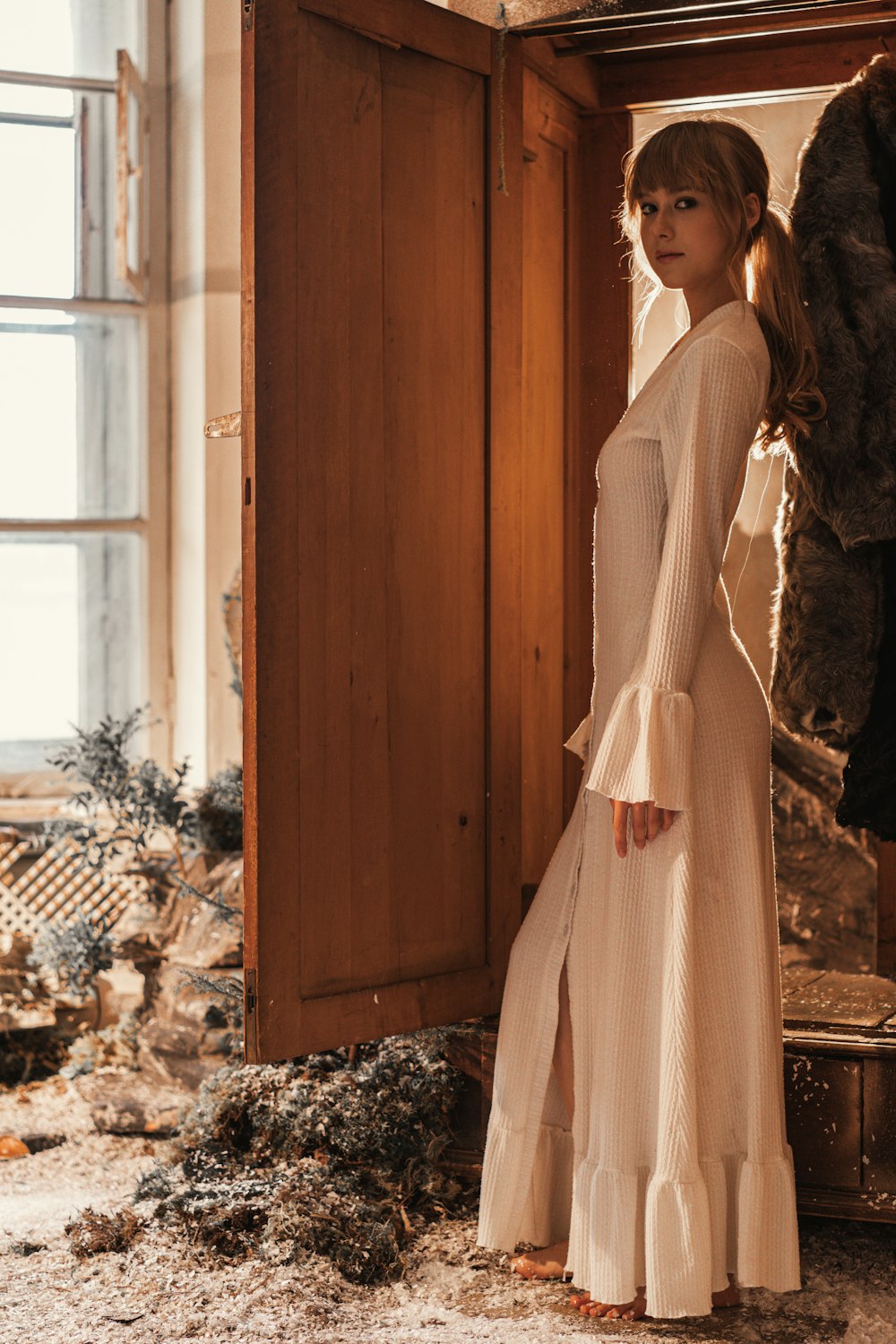
Genre: Haute Couture and Luxury Campaign Photography
Haute couture and luxury campaigns demand the absolute highest production value. Every thread in a hand-embroidered gown must be visible. The fall of heavy satin must obey gravity. The light must behave as if it is interacting with real fabrics in a real space. This genre is Ultra territory exclusively. The credit investment is significant, but the results are images that can stand alongside professional studio photography in the most discerning contexts.
Haute Couture Prompt Template (Ultra):

"A model in a hand-draped ivory duchess satin ball gown with a structured
corset bodice featuring hand-sewn crystal and pearl beading along the
neckline and shoulder line, the heavy satin skirt cascading in voluminous
architectural folds to the polished marble floor with a two-meter
cathedral train, each fold catching and releasing light differently based
on fabric tension and angle, standing in a grand neoclassical palazzo
with towering fluted marble columns and a painted ceiling visible above,
filtered afternoon light streaming through tall arched windows creating
shafts of volumetric light with visible dust particles floating in the
beams, three-point lighting: key light from a large silk parabolic
reflector at 30 degrees camera-right creating soft directional warmth,
fill light bounced from a gold reflector camera-left at quarter-power,
hair light from 60 degrees above-behind creating a luminous rim on the
veil and shoulders, natural skin with visible pore texture and subsurface
scattering on the decolletage, Phase One IQ4 150MP digital back with a
Schneider 120mm LS f/2.4 lens shot at f/3.5 for subject isolation with
medium-format bokeh, color-graded with warm highlight rolloff and gently
lifted shadows, fine art bridal haute couture editorial for Vogue"

--- This is where Ultra shines ---
- Every fabric detail is rendered: beading, structure, fold behavior
- Volumetric light effects: dust particles, light shafts
- Subsurface scattering: realistic light penetration on skin
- Medium-format camera: distinctive depth and color
- Architectural environment: marble, painted ceiling, columns
- Ultra processes ALL of this and delivers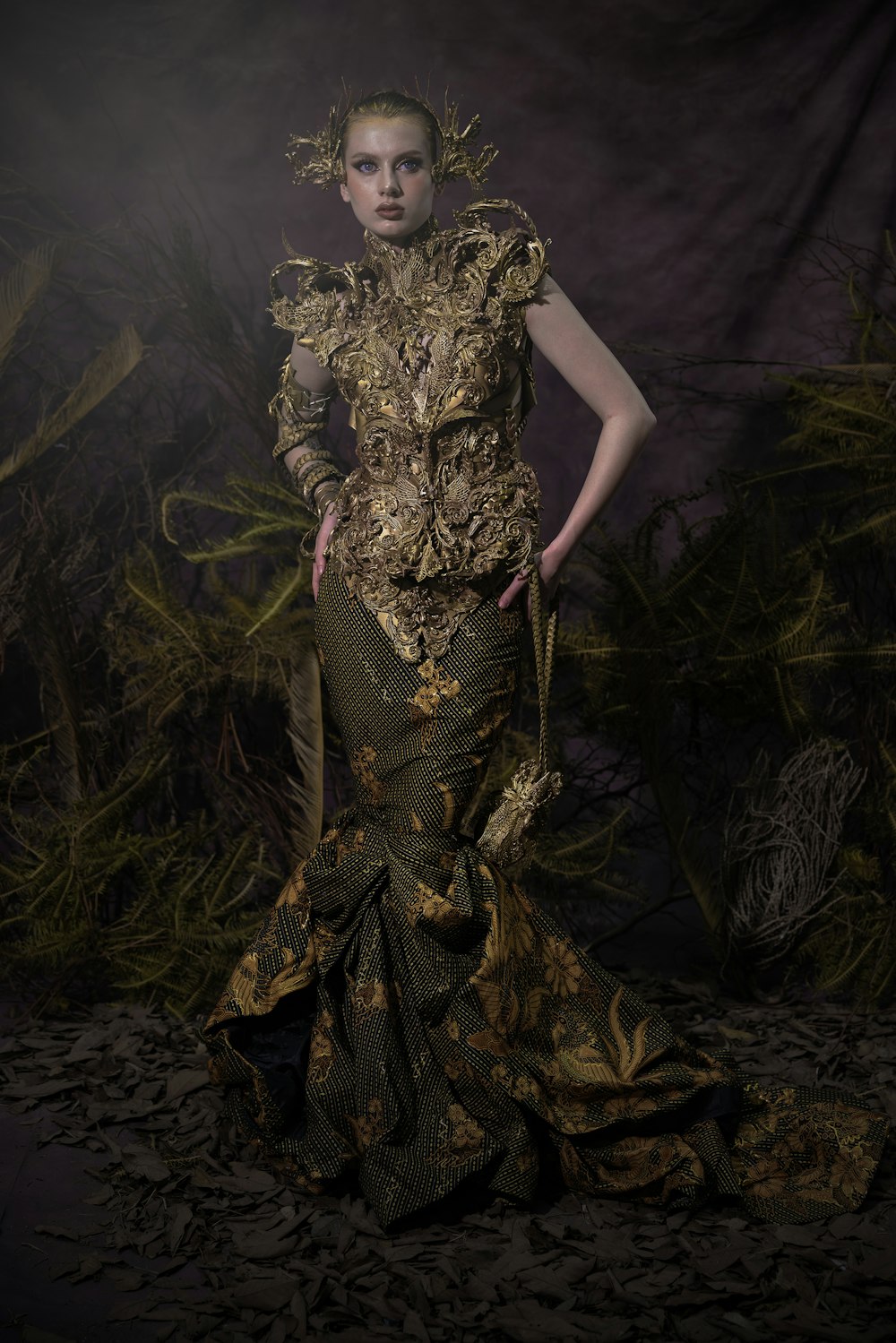
The Photorealism Checklist: Five Elements Every Prompt Needs
These five prompt elements make the biggest difference to photorealism. Include all five in every prompt that targets photographic quality.
Camera Body and Lens
Reference a specific camera body (Canon EOS R5, Hasselblad X2D, Phase One IQ4) and a lens with focal length and aperture (85mm f/1.4, 110mm f/2.5). This anchors the photographic "look" of the entire image: depth of field, bokeh character, color rendition, and perspective compression.
Named Lighting Setup
Describe the lighting using professional terminology: "three-point lighting with key at 45 degrees camera-right, fill at half-power camera-left, hair light above-behind." Name the modifiers (softbox, beauty dish, parabolic) and their positions.
Color Temperature in Kelvin
Include a specific Kelvin value (e.g., 5200K for daylight, 4500K for warm editorial, 3200K for tungsten). This one detail eliminates color ambiguity and gives the AI a precise target for the entire mood of the image.
Skin and Texture Detail Request
Explicitly request "natural skin texture with pore-level detail" or "visible fabric weave texture." These phrases steer the model toward finer detail, especially on Premium and Ultra tiers.
Depth of Field Specification
Describe the depth of field behavior: "shallow depth of field with creamy bokeh" or "medium depth of field with background at 60% sharpness." This tells the AI how to render the spatial relationship between subject and background.
The Cumulative Effect
Each of these five elements independently improves photorealism. Together, they create a compound effect where the AI has enough technical context to simulate a genuine photographic scenario. Images generated with all five elements consistently outperform those missing even one or two.
Describing Fabric Like a Fashion Professional
Fabric is the soul of fashion photography. How you describe fabric in your prompt directly determines how realistic the garment looks in the generated image. Use the "Fabric Trinity" framework: always describe fabric using three properties, the material name, how it moves or drapes, and how it interacts with light.
Fabric Trinity Examples:
- Silk charmeuse -- liquid drape that follows the body closely, shimmering light reflections that shift with movement.
- Raw denim -- stiff and structured with visible diagonal twill weave, matte light absorption with subtle surface sheen at fold points.
- Cashmere knit -- soft, flowing drape with gentle folds, diffused light scattering that creates a velvety surface appearance.
- Organza -- crisp and transparent with sculptural volume, light passing through creates layered translucent shadows.
- Duchess satin -- heavy, structured drape that holds architectural folds, brilliant specular reflections and deep shadow pools.
- Leather (lambskin) -- supple and conforming drape with organic creases, a mix of matte areas and directional glossy highlights.
- Wool tweed -- textured and substantial with minimal drape, complex surface that absorbs light with tiny specular flecks from the weave.
- Chiffon -- weightless, floating, ethereal movement, semi-transparent with soft light diffusion and layering effects.
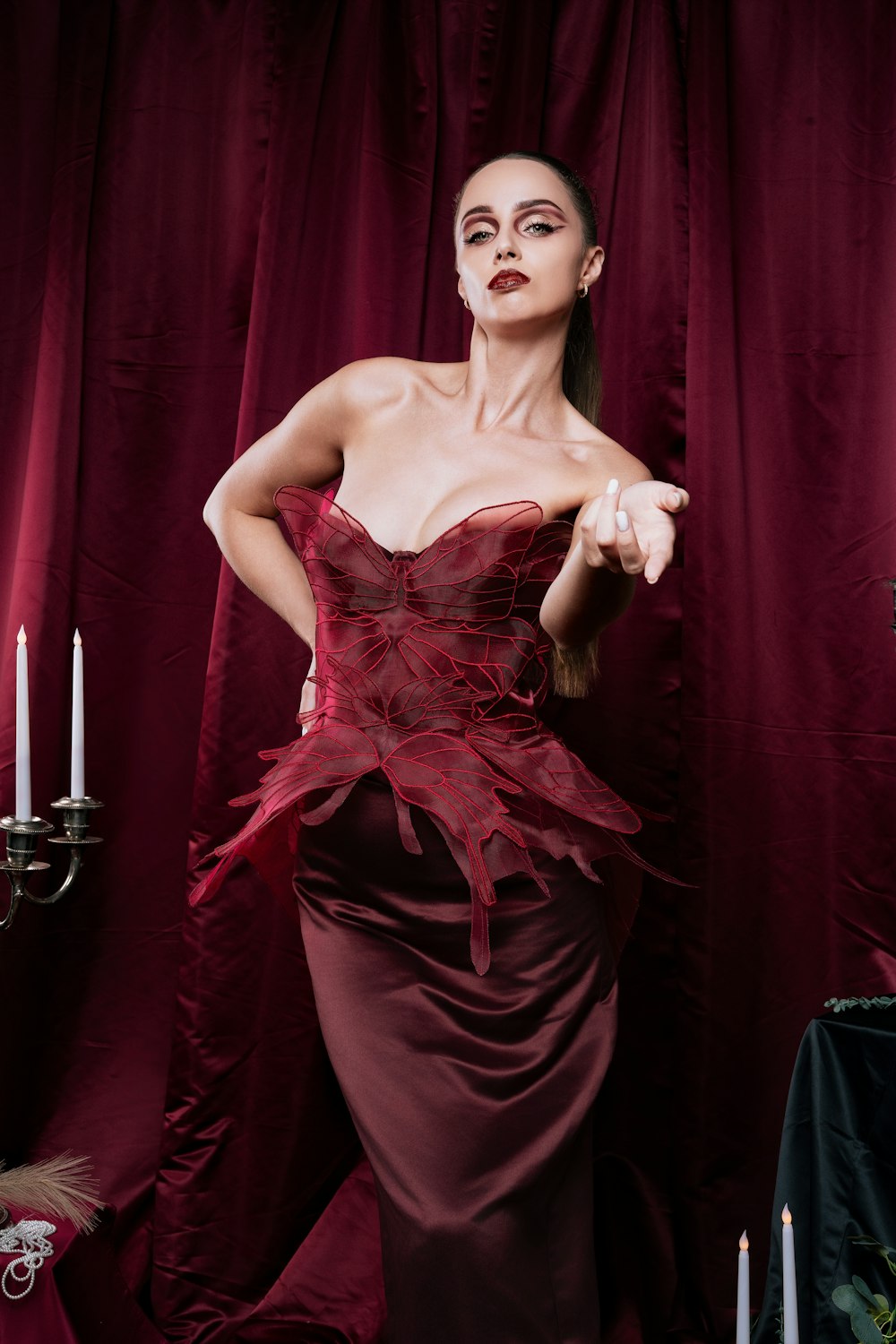
Thread-Level Detail on Ultra
On Ultra tier, you can push fabric descriptions even further. Try: "visible herringbone weave pattern in the wool" or "individual silk threads catching light differently based on their alignment angle." Ultra processes these microscopic details and renders them with remarkable fidelity.
The Professional Photography Workflow
Professional fashion photographers do not start with the final shot. They shoot test frames, adjust lighting, change angles, and iterate toward perfection. Your AI photography workflow should mirror this process.
Concept Testing with Turbo (5-10 generations)
Start with a simplified prompt at Turbo speed. Test the basic composition: pose, framing, outfit silhouette, and general mood. Do not worry about fabric detail or lighting nuance yet. Generate 5-10 variations rapidly and identify the 2-3 strongest compositions.
Lighting and Fabric Refinement with Default (3-5 generations)
Take your best Turbo compositions and add photography-specific language: camera body, lens, basic lighting direction, and fabric descriptions. Default will reveal whether your prompt structure produces convincing photographic results. Adjust and iterate.
Detail Polish with Premium (2-3 generations)
Promote your best Default result to Premium. Now add the full detail: light modifiers, color temperature, skin texture requests, depth of field specification. Premium reveals the image at near-production quality. Make final adjustments.
Final Master with Ultra (1 generation)
Your prompt is now fully refined through three tiers of testing. Run it once through Ultra for the final, production-grade output. Choose 4K or 8K quality (available from Creator Starter) for the absolute highest quality result. Ultra is available from Creator Business.
Cost Savings in Practice
This four-tier workflow usually costs less than running 5-10 Ultra generations from scratch, because the early rounds use cheaper tiers. More importantly, the final Ultra output is significantly better because the prompt has been iteratively refined through three rounds of visual feedback.
Quality Settings for Maximum Photorealism
Two settings you choose before generating can elevate your fashion photography even further.
Quality Settings:
- Higher model tier -- Premium (for images from Creator Starter) and Ultra (from Creator Business) render finer skin, fabric, and lighting detail. This helps bridge the last gap between "very good AI" and a real photograph.
- 2K, 4K, and 8K quality -- Images are 1K on every plan; from Creator Starter you can generate at 2K, 4K, or 8K for the crispness needed for print and large-format display.
The recommended setup for maximum photorealism is: Premium or Ultra tier and 4K or 8K quality. This combination consistently produces images that pass professional scrutiny and can be used in commercial contexts where photographic authenticity matters.
Common Mistakes to Avoid
- Using Ultra for concept testing -- Ultra is for final output, not exploration. Use Turbo and Default for ideation. Your credits and time will go much further.
- Vague lighting descriptions -- "Good lighting" means nothing to an AI. "Three-point lighting with key at 45 degrees" means everything. Be specific.
- Over-prompting Turbo -- A 200-word prompt with fabric physics and subsurface scattering will not improve Turbo output. Keep Turbo prompts concise and focused on composition.
- Forgetting color temperature -- Without a Kelvin value, the AI guesses. Sometimes it guesses warm, sometimes cool. A specified temperature ensures consistency across a series.
- Ignoring quality settings -- Higher model tiers and 2K-8K quality exist for a reason. They add the finishing polish that pushes good AI into great photography.
- Using the same prompt detail level across all tiers -- Each tier has an optimal prompt complexity. Match your detail to your model tier for the best results.
From Prompt to Publication: Your Photography Starts Now
AI fashion photography on Fittins AI is not about replacing photographers. It is about democratizing the ability to create stunning, professional-quality fashion imagery. Whether you are a brand building your first collection, a content creator scaling your visual output, or an established studio expanding your capabilities, the combination of the right model tier, photography-grade prompting, and the right quality settings gives you a creative tool that would have been unimaginable just a few years ago.
Start with the Photorealism Checklist. Master the five elements. Learn the lighting setups. Study the Fabric Trinity. Use the multi-tier workflow to iterate efficiently. And when your prompt is perfect, let Ultra deliver the final image that makes the world wonder whether it was shot or generated.
The best AI fashion photography does not look AI-generated. It looks like a great photographer had a great day in a great studio. That is the standard Fittins AI was built to reach.
— Fittins AI Team
Continue reading

